Friday, October 30, 2009

Christmas Owls for Postcards

Hello friends and owl-lovers,
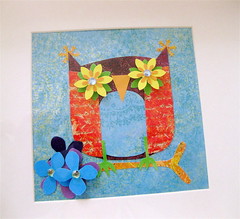
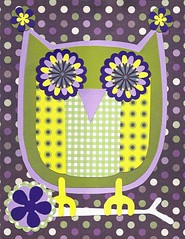
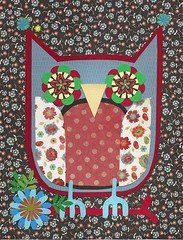
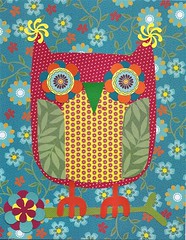
This year, I plan to make Christmas cards using 4 owl collage images. My plan is to make postcards and sell them in packages of 4 or more. Postcards in bulk are relatively inexpensive, and therefore I can pass the savings on to you! If interest is high, I will consider doing 6 images rather than 4.

Below is image number one. My plan is to do 2 with red and green as the predominant colors, one with blue and white with some green, and one multicolor (that is the one below).

If you think you might be interested in purchasing sets of these postcards as your holiday/new year's cards, leave me a comment with the number of cards you would consider purchasing. This will give me an idea of how many to have printed. The more cards that are printed, the cheaper they are! And the better bargain YOU will get, so if you like these images, tell your friends!

More owl collage images for you...


Thursday, October 29, 2009

Peppermint Candy Patterned Paper

I'm not too happy with this year's commercially produced holiday patterned paper...too vintagey, too dark. Too much RED. Plus, I need smaller repeating pattens for collage work and I'm seeing too many large patterns or "scenes."

So, I'm making my own!! Have fun!


Tuesday, October 20, 2009

Monday, October 19, 2009

Sunday, October 18, 2009

Freebie Stickers

I am still in the digital phase of designing my own patterned paper. Once I move on to more of a collage look, I will share resources like I promised in an earlier post.

For digital drawings, I use Inkscape. It's free and works on both Windows and PC. Once you complete a drawing, you choose "export bitmap" which saves the document as a .png file. Then you can open it up in Photoshop or Photoshop Elements (like I have) and fiddle with it a bit. The result is something like this - today's freebie:


When making patterns from objects, I find it easier to think in terms of a "sticker sheet" type format, then expand it into a repeating pattern. There are some good Inkscape tutorials out there. For now, I'll just say that you should "group" your images and drag one of the corners to make them smaller. When they are tiny enough to please you, use the "tiled clone" feature to create a repeating pattern.

Here is a smaller repeating pattern:

And here is an even smaller repeating pattern:

Another variation: stripes!